Your team is losing 42% of their output outside the office
Every time an employee leaves their multi-monitor desk,to work from home, travel, hot-desk, or visit a client - they take a measurable productivity hit.
Spacetop closes that gap with a private, 100-inch virtual workspace that works anywhere.
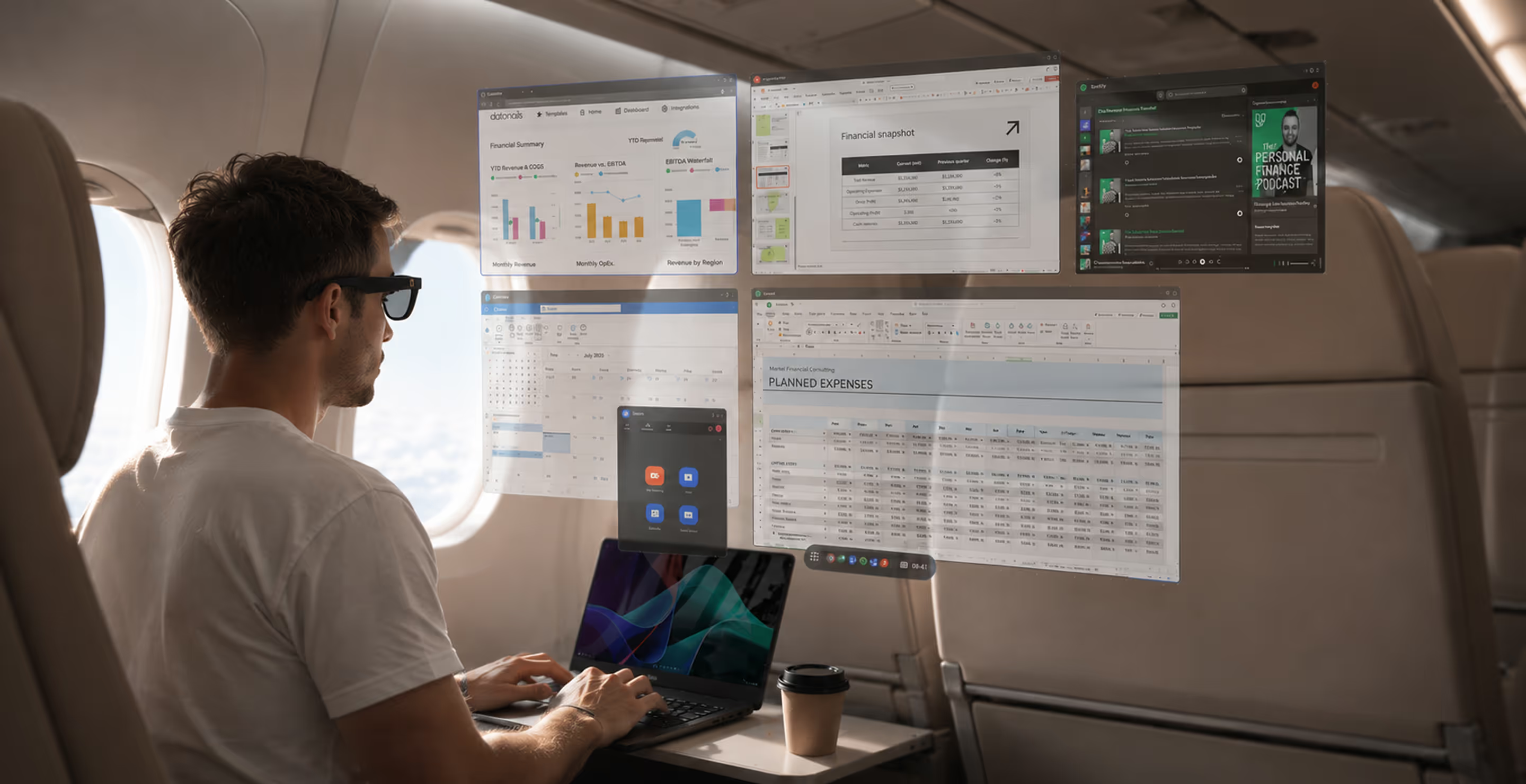
The office multi-monitor setup is the most productive work environment most employees will ever have. But work doesn't happen only at a desk. It happens on planes, at client sites, in hotel rooms, in conference rooms, and home offices — on a 13-inch laptop screen that forces constant tab-switching, exposes sensitive data to visual hacking, and locks AI workflows into a single window.
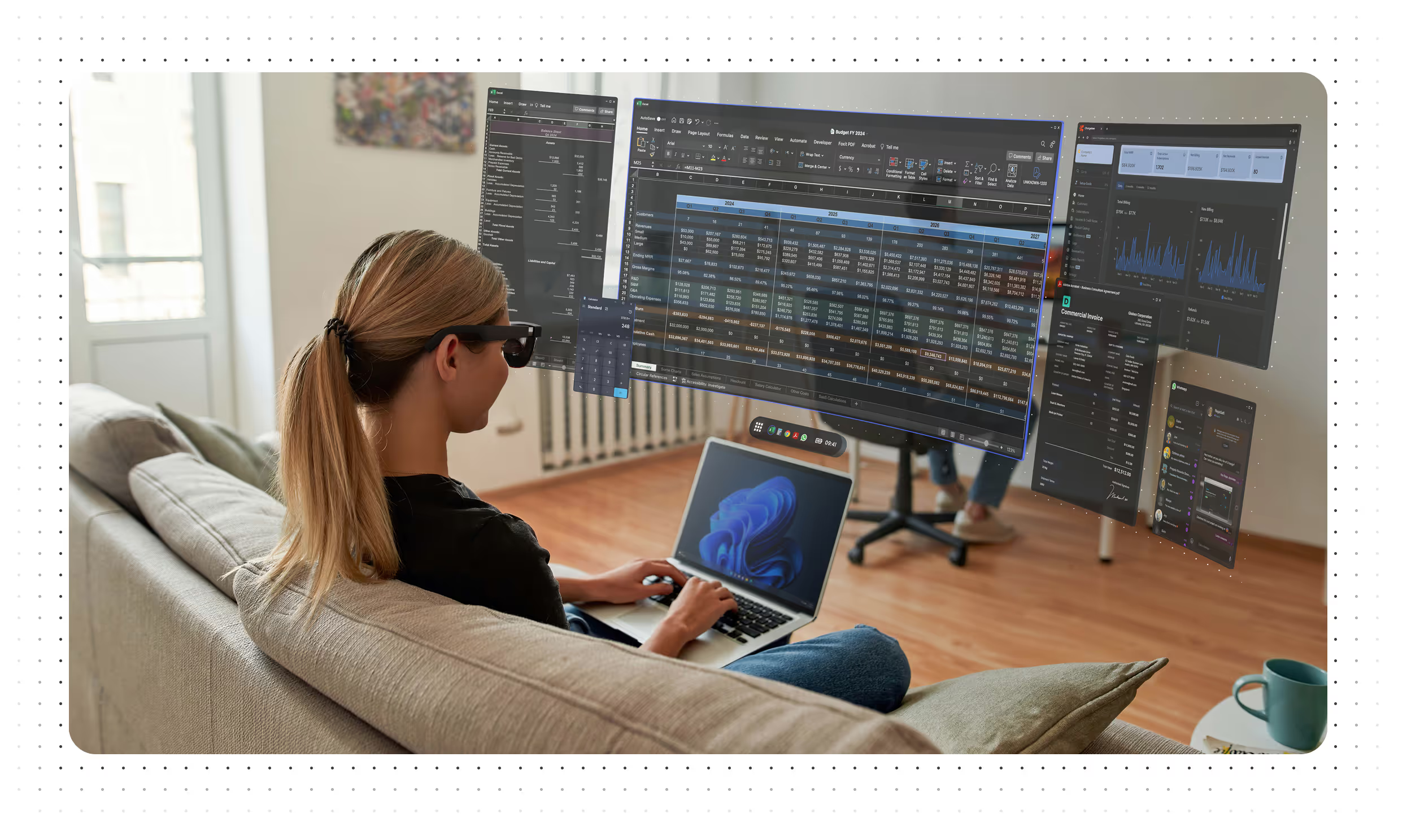
the Laptop Tax.
It's erasing hours of productive output per employee, every week
drop in output speed when employees leave their multi-monitor setup
higher error rate working from a single laptop screen
of the workday lost to tab-switching - 1,200 daily toggles
visual hacking success rate in public or shared environments
How it works
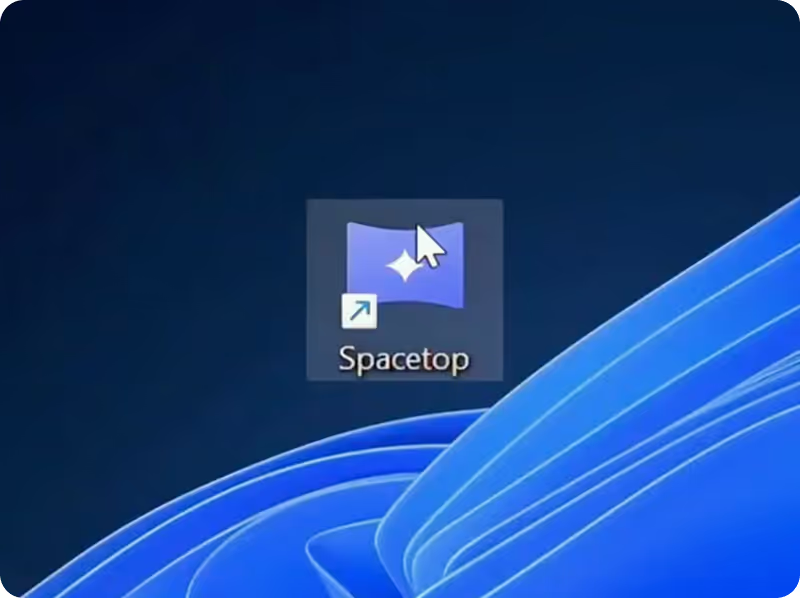
Download
Install the Spacetop app on your existing laptop. Works on approximately 90% of modern enterprise fleets. IT deploys via Microsoft Intune or individual link - no infrastructure changes required.
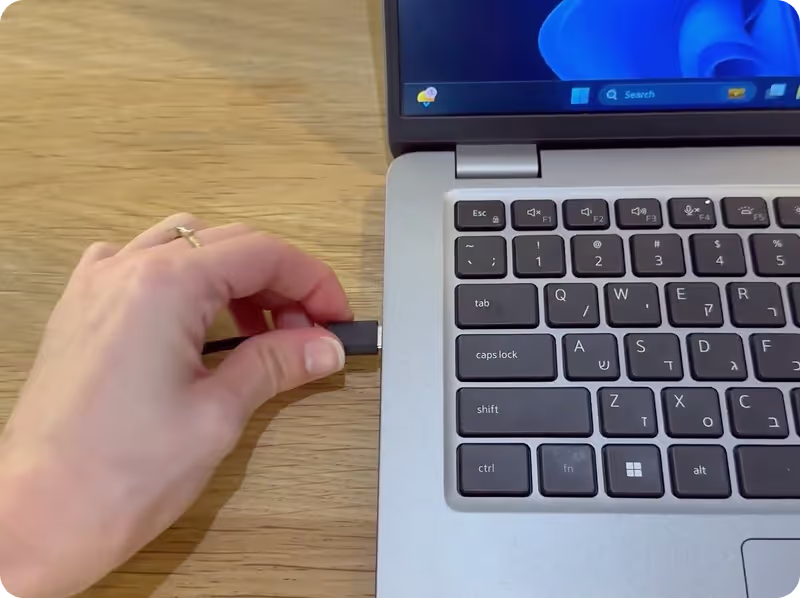
Connect
Plug in your glasses via USB-C. The physical laptop screen blacks out. Your 100-inch private workspace appears.
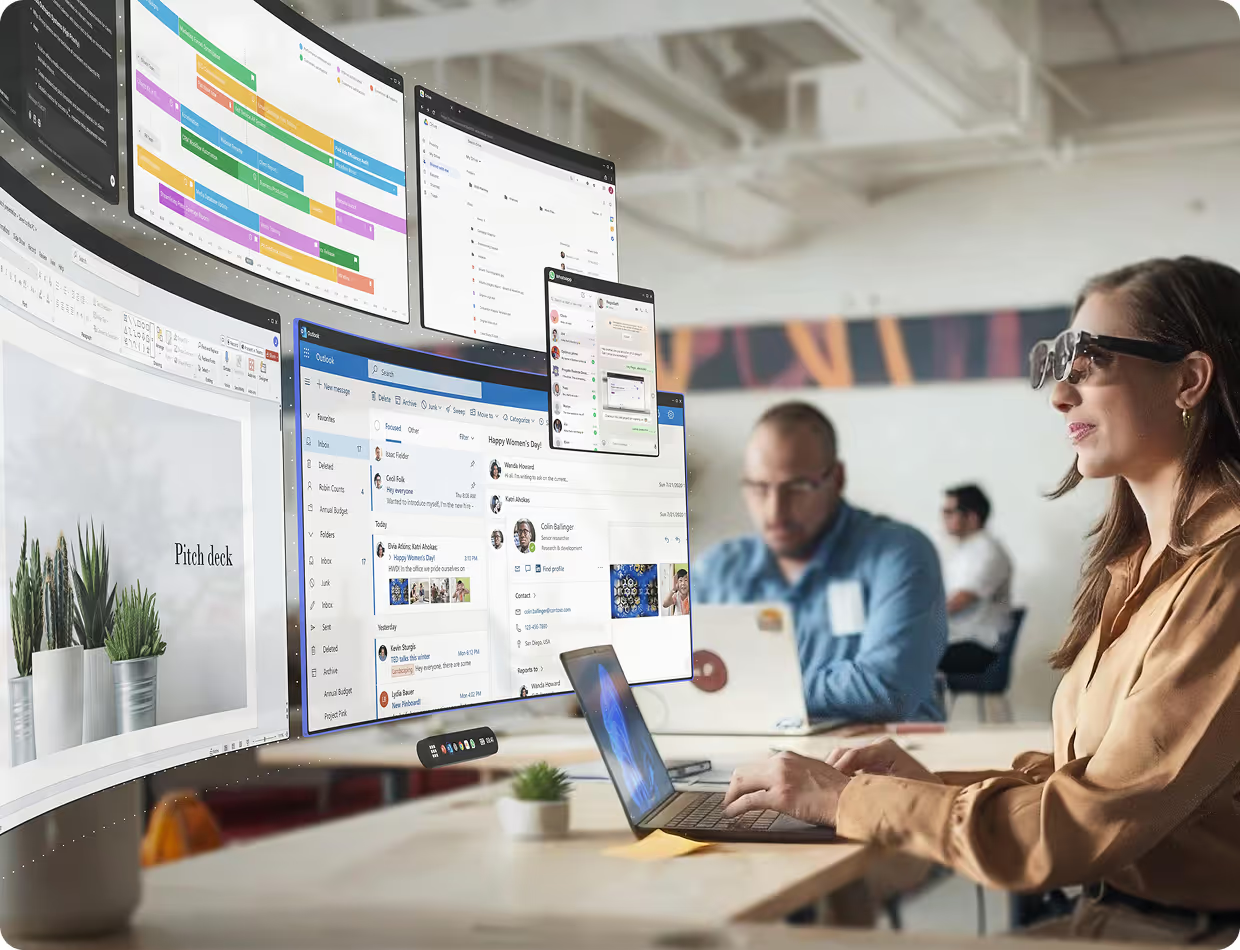
Work
Full multi-monitor productivity. Physically private. Anywhere.
Ready in 14–18 days
Spacetop deploys to your team faster than most SaaS tools. SSO via Google, Okta, and SAML. MDM via Microsoft Intune. Dedicated (one pair per user) or Pooled (shared IT library).
"Spacetop gives you more room than you'd get even with multiple monitors."

"This is the most comfortable I've ever felt while working on a laptop."

"I just tried Spacetop's new AR platform... it feels like the future of computing"
"I Always Dreamed of Expanding My Desktop With Glasses. This Software Made It Real."

"I've been just as efficient virtually as in my work-from-home setup. I already don't want to be without it."

"Paired with a laptop and smart glasses, Sightful's Spacetop for Windows software feels closer to the spatial computing future we were promised than Apple's Vision Pro. RATING: 9/10"
"Spacetop is ready for liftoff - this time as a subscription-based Windows app"

"Spacetop for Windows Unleashes the Future of Mobile Work."

"Spacetop won't let you lose your mouse, no matter how many apps you have open in your AR workspace"

"Spacetop for Windows: A reason to buy an AI PC at last?"

"The Spacetop hides your work from the world around you."

"It really is impressive technology. You can see your desktop well, but you can also see what’s behind and around it..."

"Spacetop isn’t a concept for the future of mobile computing. It’s already here."

"... I think Sightful is really on to something here... marketing for privacy with the tagline “for your eyes only” genuinely makes sense.”

"Unlike a VR headset, you don’t need to learn any new controls to use the Spacetop."
"Text was absolutely legible, unlike the Quest Pro, and there was little to no lag while moving the headset back and forth."

"But what's next for the laptop? ...the next step is augmented reality."

"...Sightful’s Spacetop aims to deliver lot of workspace to users without compromising privacy."

"...what I’d consider the first applicable workplace augmented reality”

You can't put a Ferrari engine in a go-kart and expect to keep up
Sightful
FAQs
After your purchase is complete, you will receive detailed instructions for downloading the Spacetop software.
Spacetop turns your existing laptop into an immersive AR-powered workspace.
By pairing your laptop with premium AR glasses (XREAL One Pro) and our custom Spacetop for Windows software, you unlock a new way to work - featuring persistent multi-screen setups, enhanced readability, and optimized support for your favorite business applications.
Spacetop is the only platform built specifically for business professionals. It is designed for all-day comfort, optimized for text clarity, and tailored for seamless workspace navigation. This ensures a customizable setup that maximizes focus and efficiency, empowering you to work at your best.
At the heart of the Spacetop experience lies a comprehensive bundle, carefully curated to deliver maximum productivity and an immersive work environment. This bundle comprises:
- Premium AR Glasses (XREAL One Pro): These cutting-edge augmented reality glasses are not merely a display; they are a gateway to an expansive, virtual workspace. Engineered for comfort and clarity, the XREAL One Pro glasses provide a high-resolution, vibrant visual experience that is critical for extended periods of professional use. Their lightweight design ensures minimal fatigue, allowing users to remain focused and productive throughout their workday.
- Spacetop Proprietary Software: The true magic of Spacetop lies in its custom-built software. This intelligent platform, meticulously optimized to unlock the full potential of the AR glasses, creates an intuitive virtual workspace. Designed for business professionals, it seamlessly integrates with their everyday workflows and business applications.
This combination creates a powerful, multi-screen workspace that boosts productivity and mobility without sacrificing performance.
Spacetop is the only platform built specifically for workspace productivity. Unlike other AR systems that are often bulky or limited to screen mirroring, Spacetop’s app and glasses are designed for all-day comfort, optimized for text clarity, and tailored for seamless workspace navigation. This ensures a customizable setup that maximizes focus and efficiency, empowering you to work at your best.
We provide the option to purchase optical attachments for users who wear glasses with distance correction (available during checkout). There's also an option for those who wear progressive lenses, to allow you to focus well on both the projected screen and the keyboard.
If purchased, the attachments are provided together with the AR glasses shipment.
If you use your distance glasses for activities such as driving at night or watching movies, we recommend purchasing the attachments, to ensure optimal clarity when using Spacetop.
If you have only a reading prescription, you do not need corrective lenses when using Spacetop.
Once your order is approved and processed internally, you will receive an email with the link to upload your prescription details.
At the moment Spacetop is only compatible with XREAL One Pro AR glasses, but our intention is to offer a wider range of compatible glasses in future.
Spacetop works optimally with a wide range of laptops that run Windows. It is essential to have a laptop with a chipset strong enough to support Spacetop, and so far, we have validated laptops with Intel Meteor Lake and Lunar Lake processors as well as Qualcomm Snapdragon. See here for the most up to date compatibility specifications.
The $699 one-time hardware fee covers one pair of XREAL glasses. Prescription inserts are available as an optional add-on for $79 (single vision), $179 (progressives). Hardware can be deployed as Dedicated (one pair per user) or Pooled (shared IT library — reduces units needed per team).
Spacetop supports the vast majority of commonly used Windows and web-based business applications. This includes tools like Microsoft Outlook, Excel, Word, Google Workspace apps (Gmail, Docs, etc.), web browsers like Chrome and Edge, as well as communication and media platforms such as Slack, Zoom, Google Meet, YouTube, and Netflix.
We're continuing to expand compatibility and optimize performance, particularly for more demanding applications such as video editing. Stay tuned, there's more to come soon.
Approximately 90% of modern enterprise laptop fleets. Requirements: Intel Core i7/i9 (12th Gen+) or Core Ultra, 16GB RAM, Windows 11 version 24H2, USB-C with DisplayPort. We can verify compatibility before you commit.
Via Microsoft Intune (MDM) for enterprises, or individual download link. No inbound firewall rules required. Outbound HTTPS only. SSO via Google, Okta, and SAML identity providers.
Right now no, but we are working to have a Mac version available as part of the 2026 development roadmap.
SOC 2 Type II Ready. GDPR Compliant. CCPA Compliant. HIPAA-Aligned. Zero-trust architecture ready. Visual DLP built into the hardware — the laptop screen is physically blacked out, making the workspace invisible to bystanders.
After your purchase is complete, you will receive detailed instructions for downloading the Spacetop software.
Scale up at any time.
Check out the full Orders & Shipping FAQs on our help center →
Pro is self-serve for individuals and small teams. Enterprise adds additional features, as well as SSO, Microsoft Intune MDM controls, a dedicated Customer Success Manager, priority support, and security-review and procurement support for company-wide rollouts.
Yes. $136/seat/month is list price. Agreements at 100+ seats and multi-year prepaid terms receive volume pricing. Talk to us for a quote.